Just snap your fridge.
Dinner decided in 30 sec.
No more "what's for dinner?" panic at 6 PM.
AI reads your fridge and suggests tonight's meal — instantly.

Scan with your Mac camera
to open TestFlight on iPhone
All features free · No account required
Sound familiar?
The everyday dinner struggles of a working parent.
Open the fridge at 6 PM and go blank
Cooking the same meals on repeat every week
Too tired to think, but still need to plan dinner
Bought groceries but have no idea what to make
Unsure if the kids will actually eat it
No time to search for recipes after work
100 min / month
Average time people spend deciding "what to cook"
(5 min × 20 weekdays)
Snapmeal cuts that down to 30 seconds.
Gets smarter every time you use it
Other apps also let you snap your fridge. What makes Snapmeal different is that it gets smarter the more you use it.
Remembers the past 14 days
Tracks your suggestion history to prevent repeating the same meals, ingredients, or cuisine. No more "chicken again?"
Family feedback shapes future meals
Log "make it again" or "not a hit" and Snapmeal reflects it next time. The more you track, the more personalized your suggestions get.
Favorite ingredients get priority
Mark ingredients or dishes as favorites and Snapmeal actively uses them. The more you use it, the more it feels tailor-made for you.
How Snapmeal compares
Just 3 steps
No complex setup. Just snap your fridge with your phone.
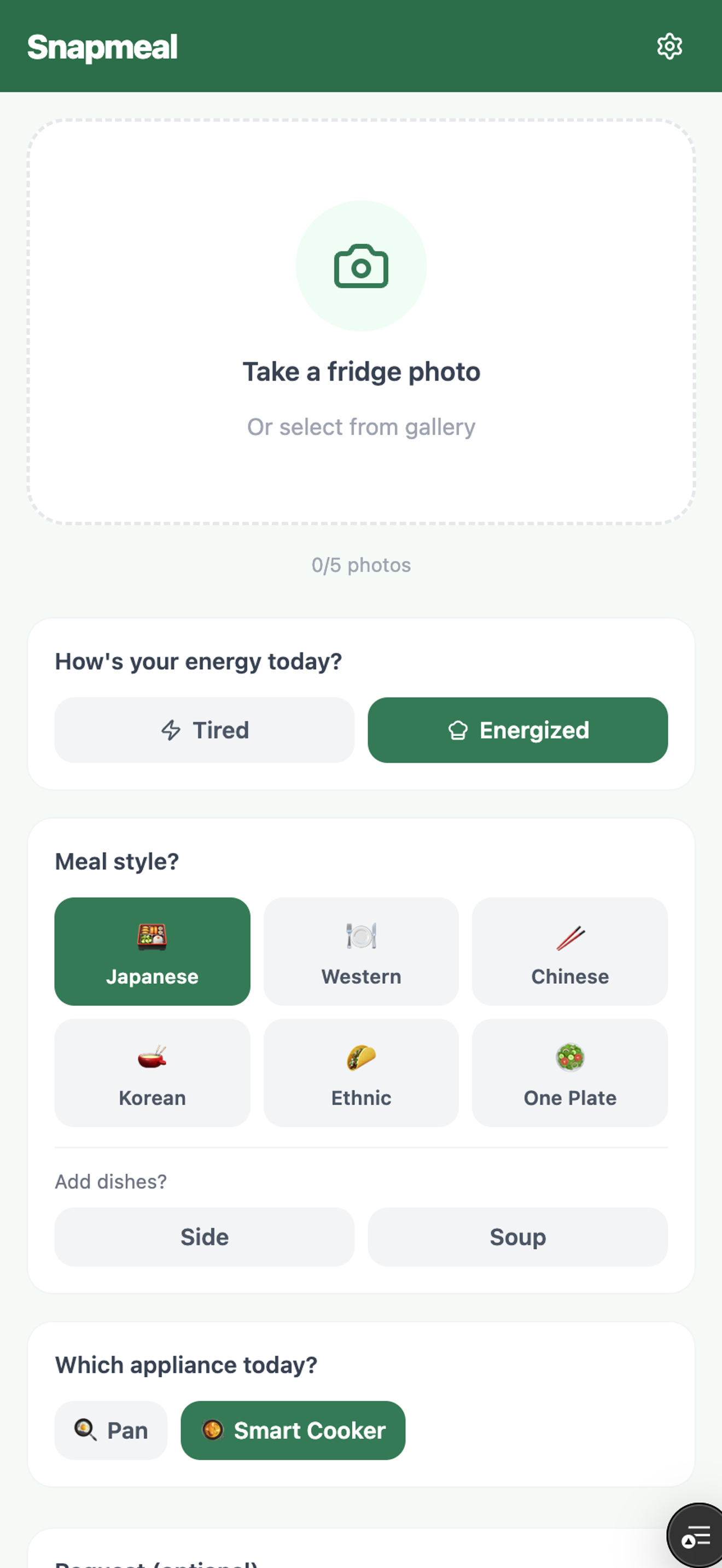
Snap Your Fridge
Take 1–3 photos of your fridge. Front, veggie drawer — any angle works. Gallery pick is fine too.
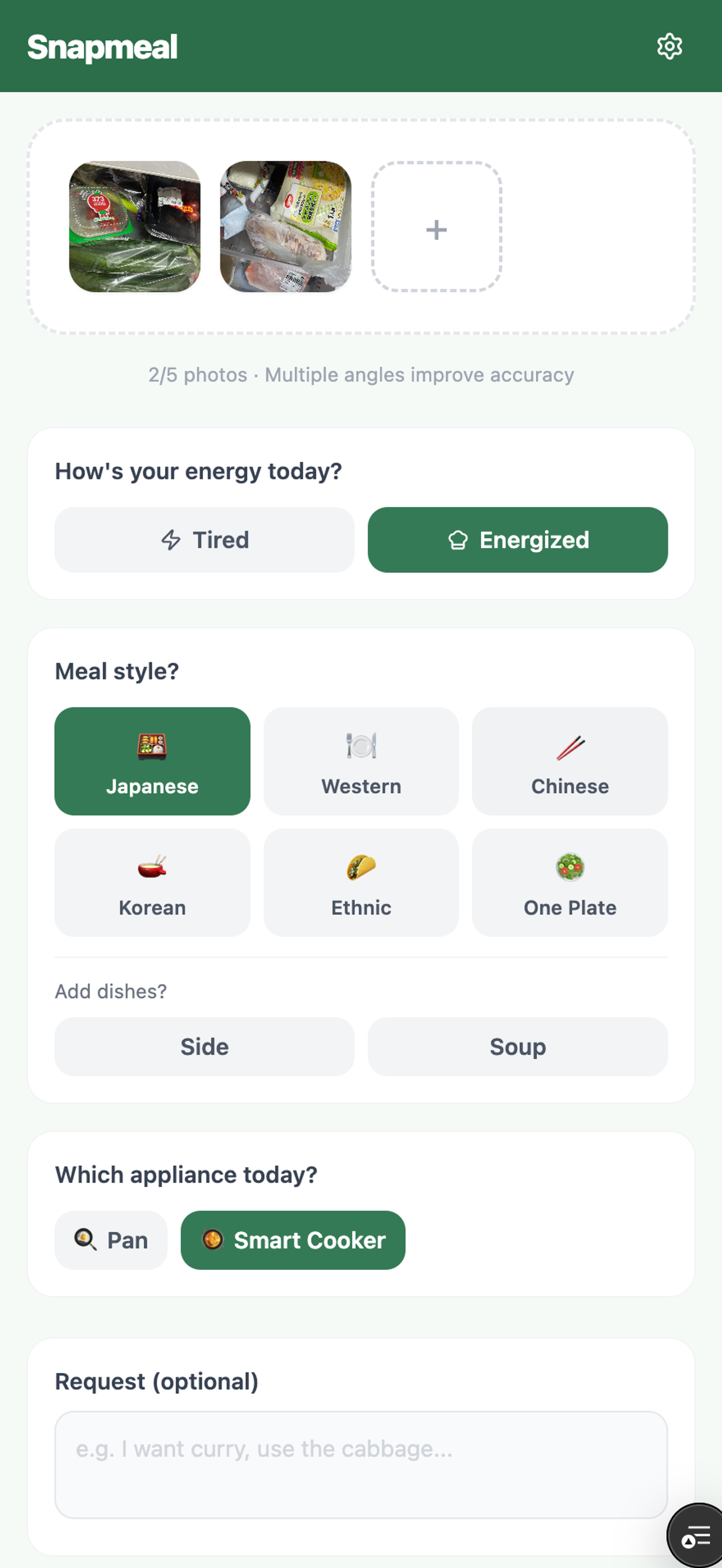
AI Reads the Ingredients
Google Gemini AI identifies what's inside automatically. You can review and edit the results.
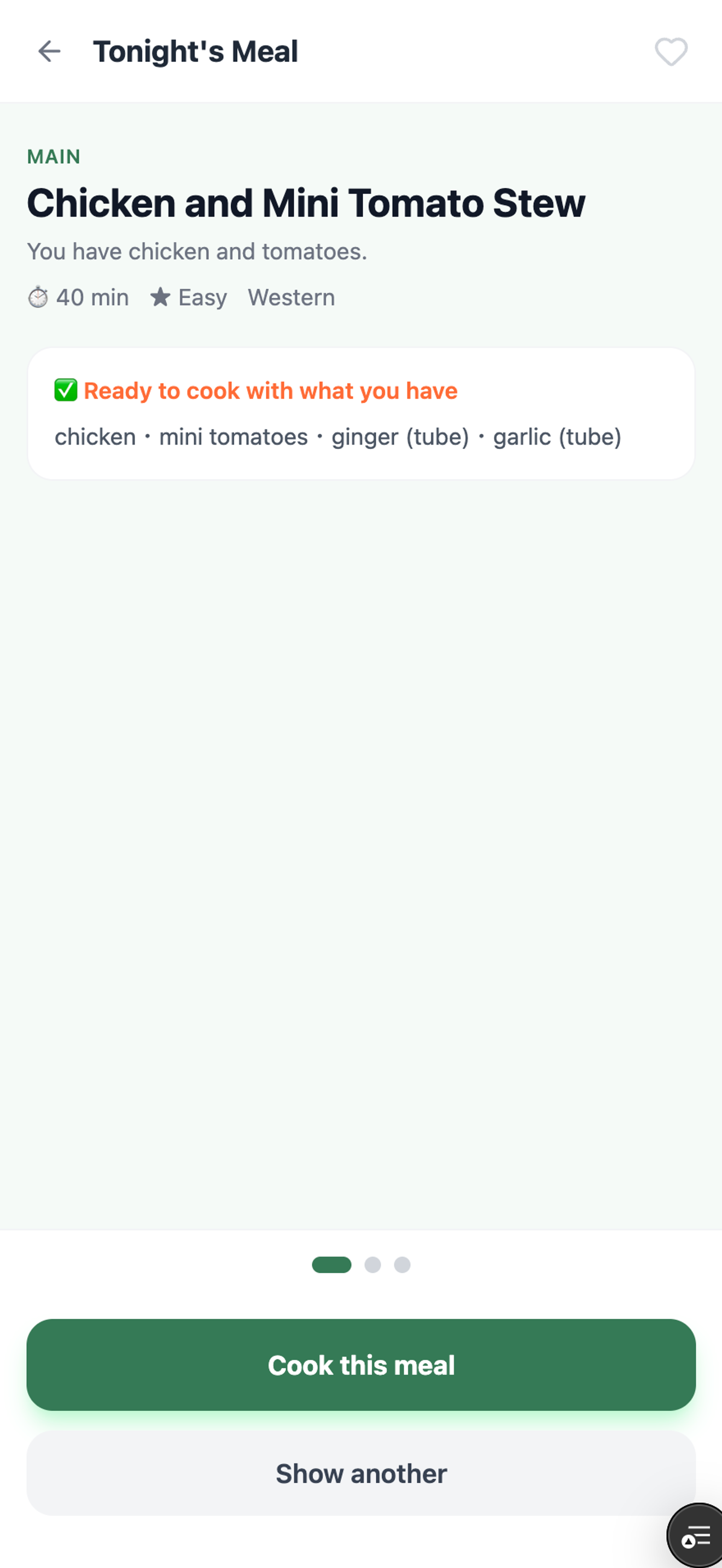
Dinner is Decided!
Get 3 meal suggestions in 30 seconds. Pick your favorite and never fall into a cooking rut.
Add to your home screen for an app-like experience
No App Store or Google Play required. Start right from your browser.
iPhone (Safari)
- 1 Open app.snap-meal.com in Safari
- 2 Tap the Share button (□↑) at the bottom
- 3 Select "Add to Home Screen"
- 4 Tap "Add" — done!
Android (Chrome)
- 1 Open app.snap-meal.com in Chrome
- 2 Tap the ⋮ menu in the top right
- 3 Select "Add to Home screen"
- 4 Tap "Add" — done!
What Snapmeal does
Everything you need to end the dinner dilemma for good.
AI Ingredient Detection
AI identifies ingredients from your fridge photo. You can add or remove items, so accuracy isn't critical.
No More Repetition
Learns from the past 14 days of suggestions to prevent repeating the same meals, ingredients, or cuisine.
Any Appliance
Toggle your appliances in settings — slow cooker, Instant Pot, or stovetop. Recipes are tailored to what you own.
Tired Mode
Select "Tired" and Snapmeal prioritizes recipes under 15 minutes with fewer ingredients.
Step-by-Step Recipes
AI generates full recipes with ingredients, steps, and tips. Just tap "Cook this meal" to see it all.
Family Reaction Notes
Log "loved it" or "not again" — Snapmeal learns your family's preferences and improves future suggestions.
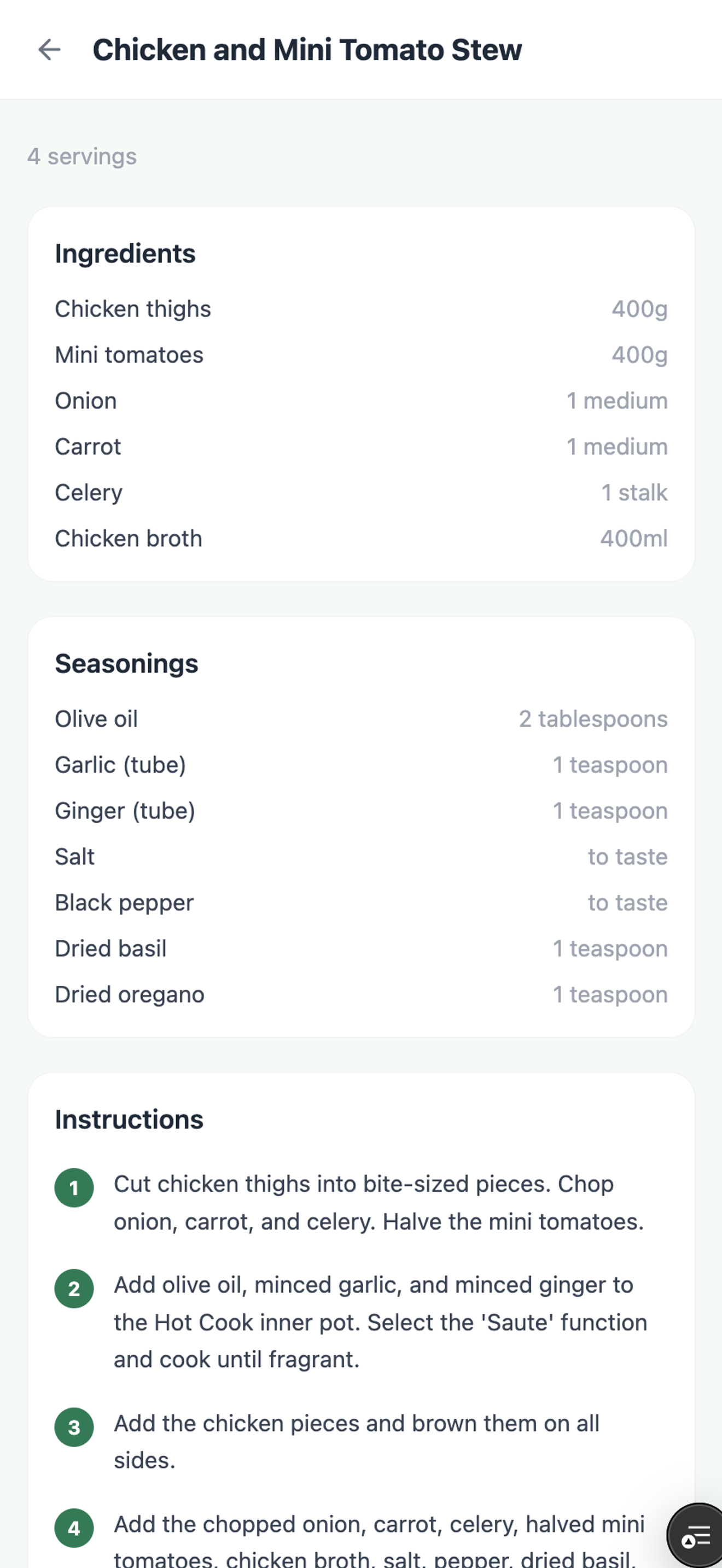
Tap "Cook this meal" —
get the full recipe,
instantly.
No more switching between apps or searching the web. Snapmeal generates the complete recipe from your fridge ingredients: exact quantities, step-by-step instructions, and cooking tips.
- ✓ Recipes built from what you already have
- ✓ Exact quantities and step-by-step instructions
- ✓ Cooking tips and substitution ideas by AI
All features, free during beta
Join the beta and try everything at no cost.
We'll give you advance notice before any paid plan launches.
- ✓ Unlimited meal suggestions
- ✓ AI ingredient detection & full recipes
- ✓ Smart Cooker operation guide
- ✓ Tired Mode
- ✓ Favorites, history & family notes
- ✓ Household settings (people, appliances, allergies)
No credit card · No download
Tried it? We'd love your feedback.
Open feedback form →
Frequently asked questions
How accurate is the ingredient detection? +
Are my photos stored on your servers? +
Is it really free during beta? +
Does it work with my appliances? +
Can I exclude allergens? +
Do I need to download an app? +
Stop stressing over dinner.
Start cooking.
Snap your fridge. Dinner in 30 seconds.
All features free during beta.
No download · Works in your browser right now