Just Snap Your Fridge. Dinner Decided in 30 Seconds. The Story Behind Snapmeal
I bought a Hotcook hoping it would make cooking easier. It did help with cooking, but it did not solve the hardest part of weeknight dinner: deciding what to make with the ingredients already in the fridge.
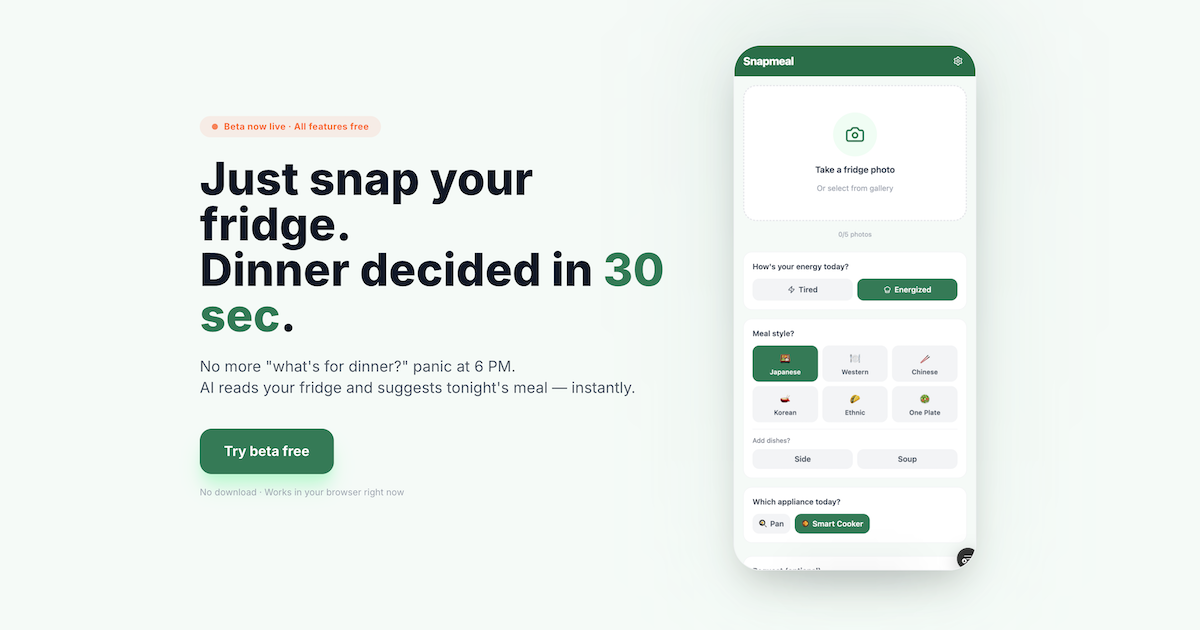
The 6 PM “what should I cook?” problem
After work, I would come home and open the fridge.
Carrots, tofu, leftover chicken from yesterday, half a cabbage. There was food. But the next step did not come. What should I actually cook tonight?
That stuck feeling at 6 PM became a daily pattern.
I bought a Hotcook, but still could not use it well
A few years ago, I bought a Hotcook because I thought it would make cooking easier. It is a smart automatic cooker, and it does make the cooking process easier.
But reality was different from what I expected. The recipe book might say “200g pork belly,” while I only had chicken thigh. It might ask for mirin, but I had run out and did not know whether sake, sugar, or something else could get me close enough.
The Hotcook could cook automatically, but it could not decide what I should cook from the ingredients I actually had. That was the part where I kept getting stuck.
I made a custom GPT and started using it every day
So I made a custom GPT for myself. The idea was simple: tell it what ingredients I had, and it would suggest Hotcook-friendly meals. I called it AI Kitchen.
It turned out to be more useful than I expected. If I did not have mirin, it could suggest sake and sugar as a substitute. It could look at my ingredients and suggest meals that fit the Hotcook.
But after using it every day, I started noticing the gaps. I could not save favorite meals. I could not keep track of what my family liked. If the image recognition was wrong, correcting it through chat felt clumsy. And because it was focused on Hotcook, it was not ideal for days when a frying pan or microwave made more sense.
All those small “I wish it could do this” moments accumulated. Eventually I wanted to rebuild the experience as a proper web app.
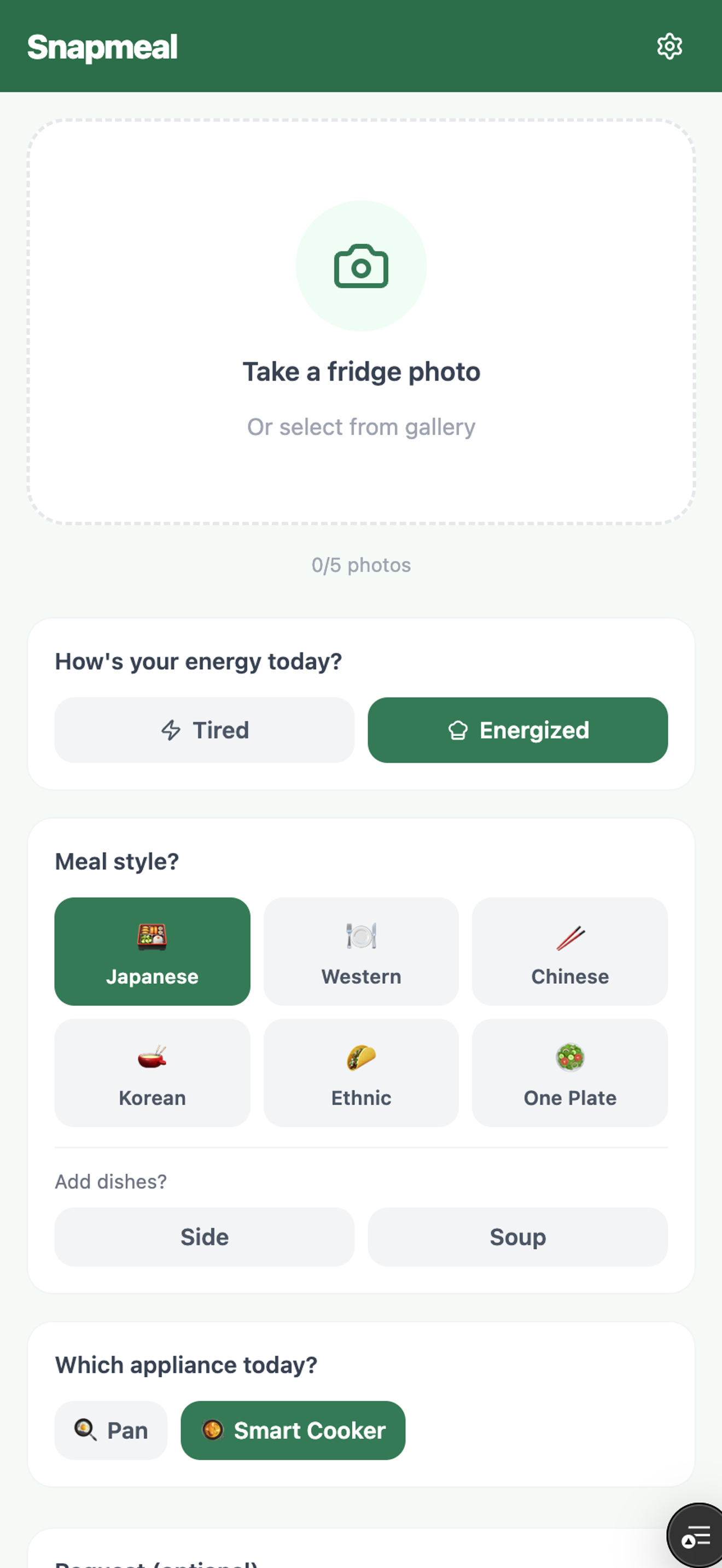
Turning it into a real web app was harder than expected
Ingredient recognition and editing
The core feature is simple to describe: take photos of your fridge, recognize the ingredients, and suggest meals. But the first implementation struggled when multiple images were sent together.
After testing, I changed the approach. Instead of sending all photos as one batch, Snapmeal processes each photo separately and then merges the results. That improved recognition significantly.
I also built an ingredient confirmation screen. If the AI sees something wrong, you can delete it. If something is missing, you can add it. I wanted to remove the friction of having to explain corrections in a chat box.
Android camera issues
iPhone support was relatively smooth. Android was harder. On some devices, the camera did not open correctly. On others, the captured photo did not return to the app. Device differences made this more time-consuming than expected.
Authentication
There were also issues around Google login. A user could complete OAuth, but the app would still behave as if they were a guest. The cause was in how the app handled auth events after redirect. Invisible problems like this can be the most draining.
Speed
The first AI model I used was accurate but sometimes slow. I tuned the model choice and settings to improve perceived speed. Balancing quality and speed is still one of the hardest parts of the product.
What I cared about while building Snapmeal
Showing the actual Hotcook steps
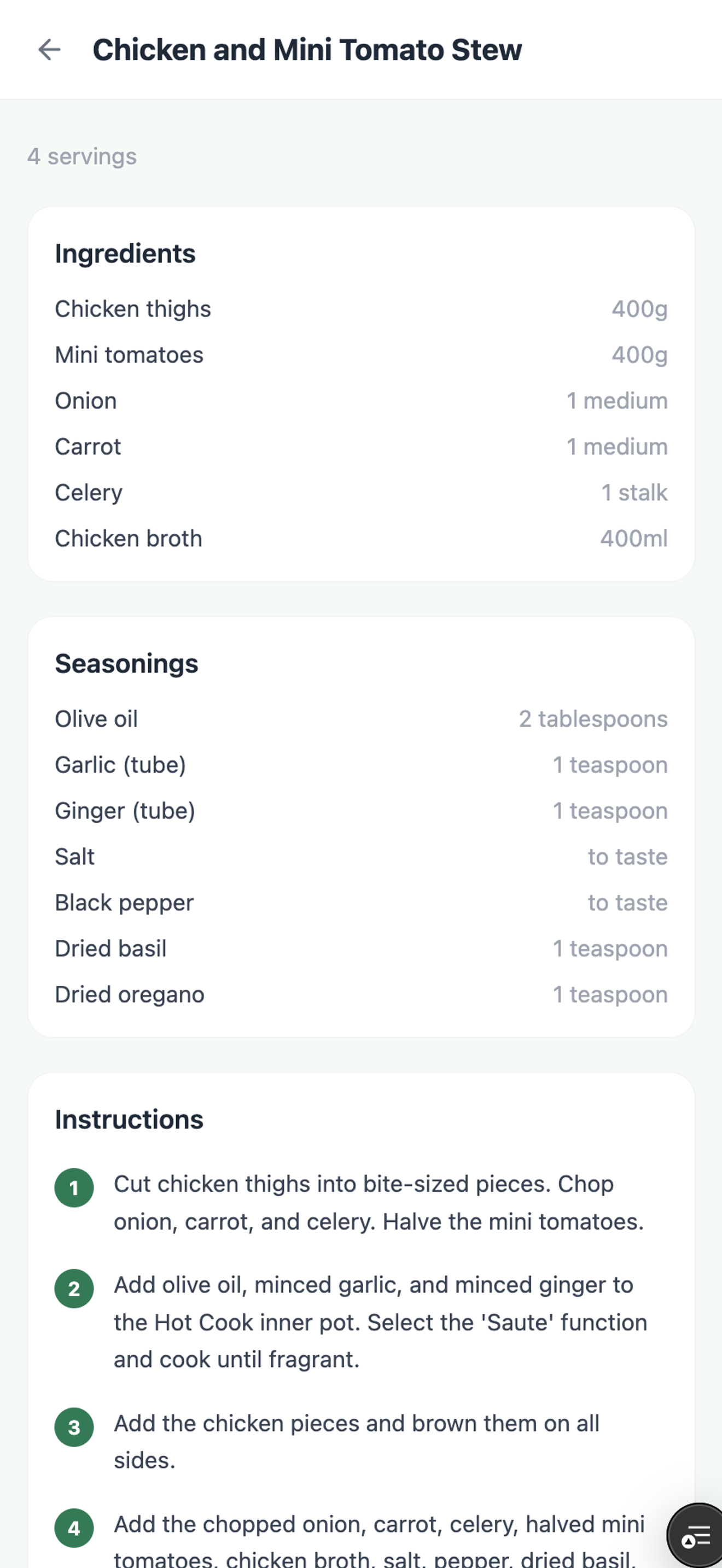
For Hotcook meals, it is not enough to say “you can cook this in a Hotcook.” Users need to know which category or nearby automatic menu to choose, and what to do if they need manual mode. Snapmeal tries to make that guidance practical.
Tired Mode
Some evenings, you do not have the energy to hold a knife. Tired Mode prioritizes meals that are quick, simple, and low-effort. I built it because I wanted it myself.
Substitution ideas
One of the reasons I started this project was that I did not know enough about ingredient and seasoning substitutions. Snapmeal tries to help when you are missing something like mirin, soy sauce, or a specific vegetable.
Avoiding repetition
If an app suggests the same kind of meal over and over, people stop using it. Snapmeal looks at recent suggestions and tries to avoid repeating the same dish, ingredient, or cuisine too often.
Snapmeal is now available in beta
Snapmeal is now available as a beta. You do not need to download anything. It runs in the browser, and all features are free during the beta period.
It works for Hotcook users, but also for people cooking with a frying pan, microwave, oven, or whatever is realistic that day. If you try it, I would love to hear what felt useful and what should be improved.