Taste Learning Visibility & iOS Fixes
Snapmeal has always learned from your meal history, reactions, and favorites — now that learning is visible on screen. iOS onboarding display and swipe navigation are also fixed in this release.
🧠 Your personalization is now visible
Snapmeal has always used your past 14 days of meal history, liked/disliked reactions, and favorites to personalize suggestions. Until now, that was invisible. v0.9 makes it apparent.
Loading message changes based on your history
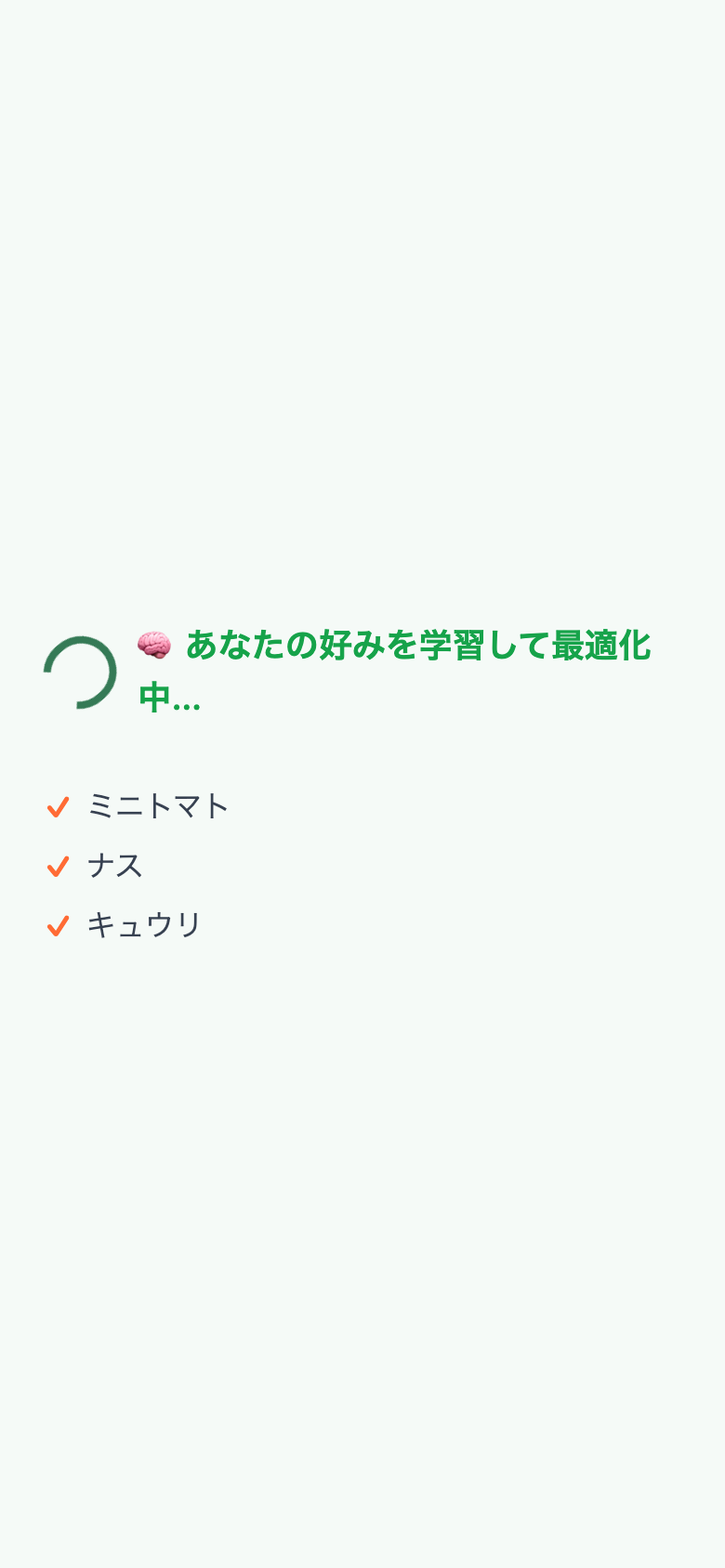
When you're logged in and have meal history, the loading screen shows a personalized message. First-time users see the standard message; returning users see the learning message.
Guest / First use
🍳 Planning your meal...
With history
🧠 Learning your preferences...
Personalization badge on meal cards
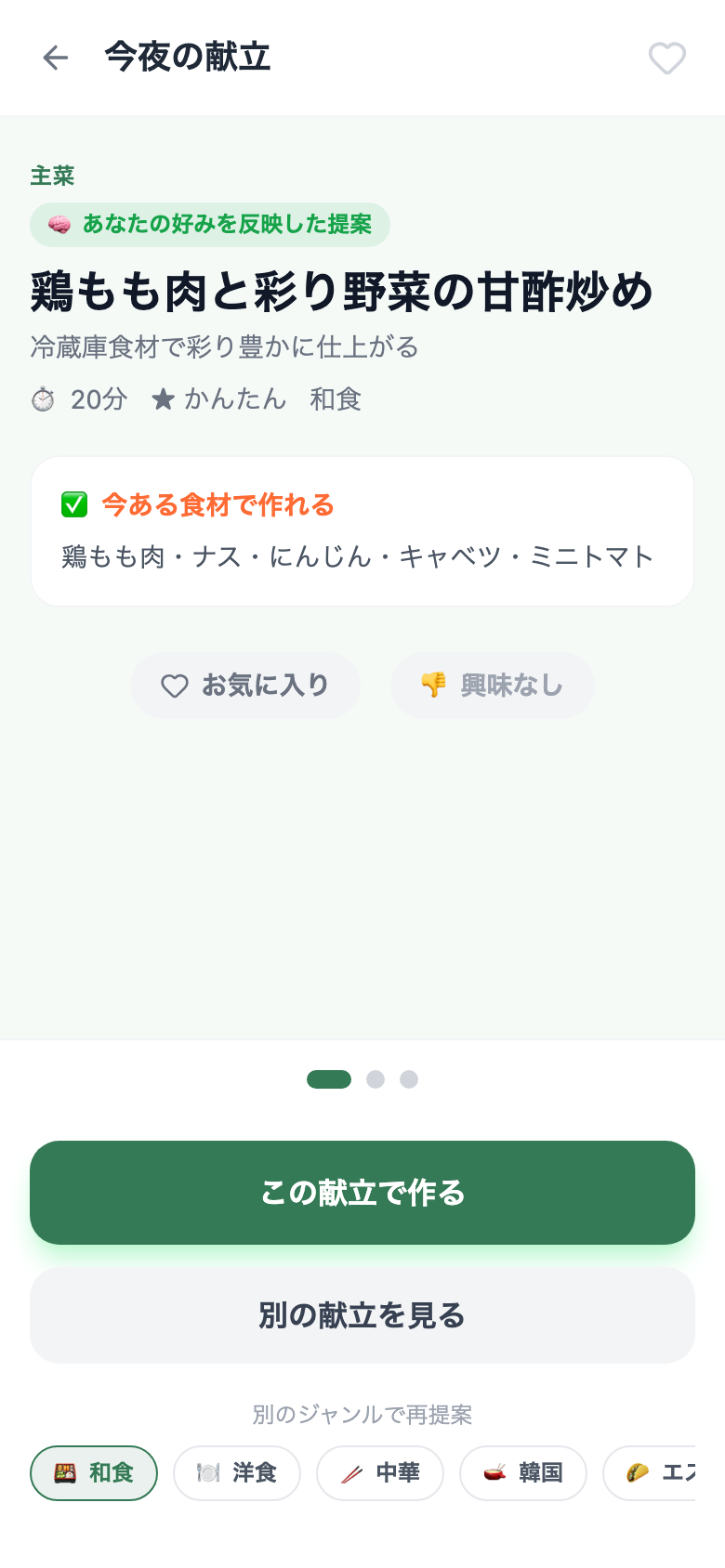
When a suggestion is optimized from your past history, a "🧠 Tailored to your taste" badge appears above the dish name.
More specific "why this dish?" explanations
The reason text shown under each suggestion now references your history when available — e.g. "different from last week's meals" or "reflects genres you've enjoyed."
The more you use Snapmeal, the more tailored the suggestions become. Leave a reaction note ("loved it" / "not great") after cooking and it's automatically reflected in the next suggestion.
📱 iOS display improvements
Two fixes for users running Snapmeal as a home screen app on iPhone.
Onboarding no longer requires scrolling
Before
The "Next" button was hidden below the fold, requiring a scroll to proceed through setup
After
All buttons fit on screen on any iPhone size — no scrolling needed
Swipe loops back from the last suggestion
Before
Swiping right on the 3rd (last) suggestion did nothing
After
Swiping right on the last suggestion loops back to the first
Try the latest version
Open Snapmeal (Beta · Free)