Genre Switch from Results & Stability Fixes
Changed your mind about cuisine style after seeing the suggestion? Switch it on the spot — no re-scan needed. Also includes a login nudge after meal selection and an analysis timeout fix.
Switch cuisine style directly from results
After receiving a meal suggestion, cuisine style chips now appear at the bottom of the result screen. Tap any style — Japanese, Western, Chinese, Korean, Ethnic, or One-plate — to get a new suggestion using the same ingredients, instantly.
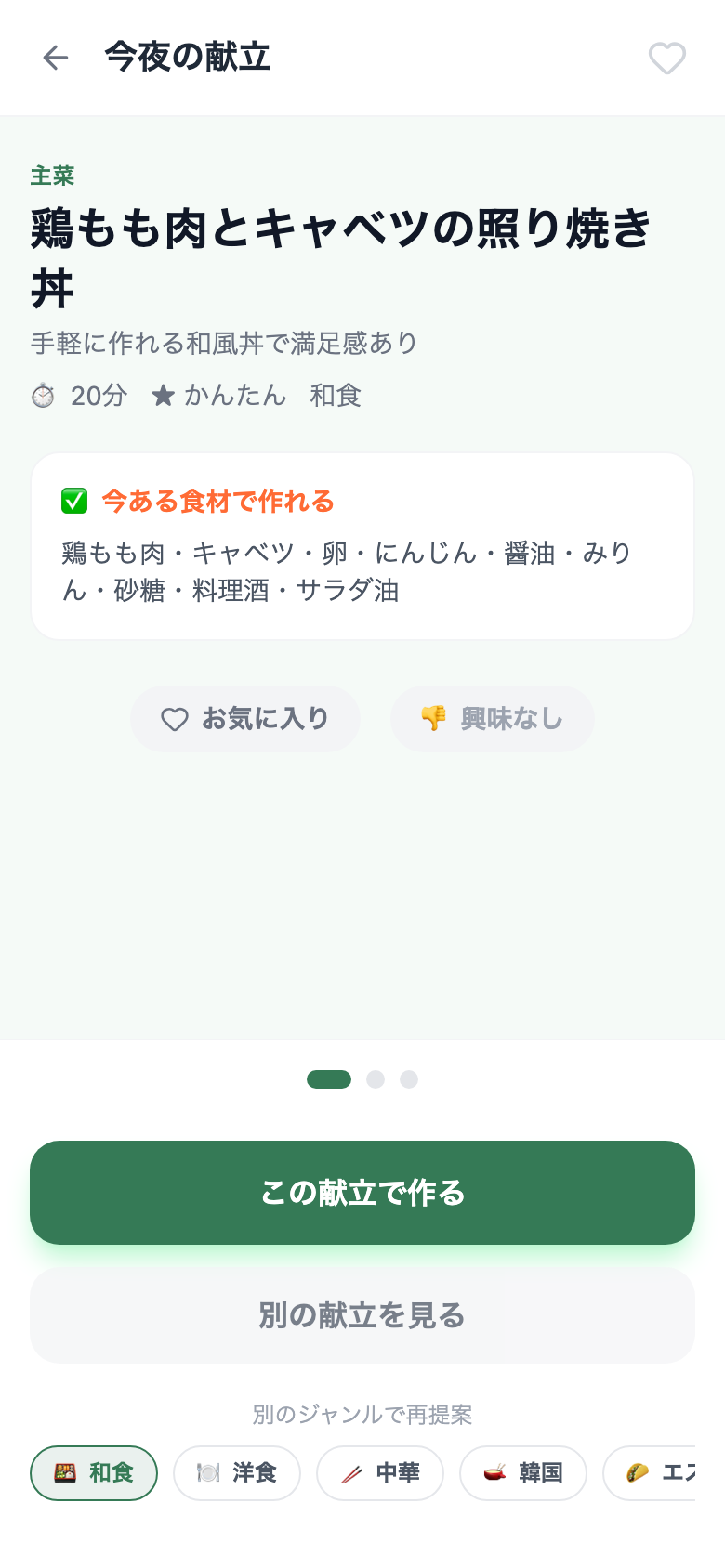
One tap to switch genre and re-suggest
No re-scan required
Already-recognized ingredients are reused — no need to open the camera again.
6 cuisine styles
Japanese, Western, Chinese, Korean, Ethnic, and One-plate. The current style is highlighted so you always know where you are.
Scroll down on the meal result screen → tap a genre chip under "Try another genre". The current suggestion stays on screen while the new one loads.
Login nudge after meal selection
When you're using Snapmeal as a guest and settle on a meal, a gentle prompt now appears letting you know that logging in will save today's meal to your history — so AI can learn from it next time. You can dismiss it and continue as a guest.
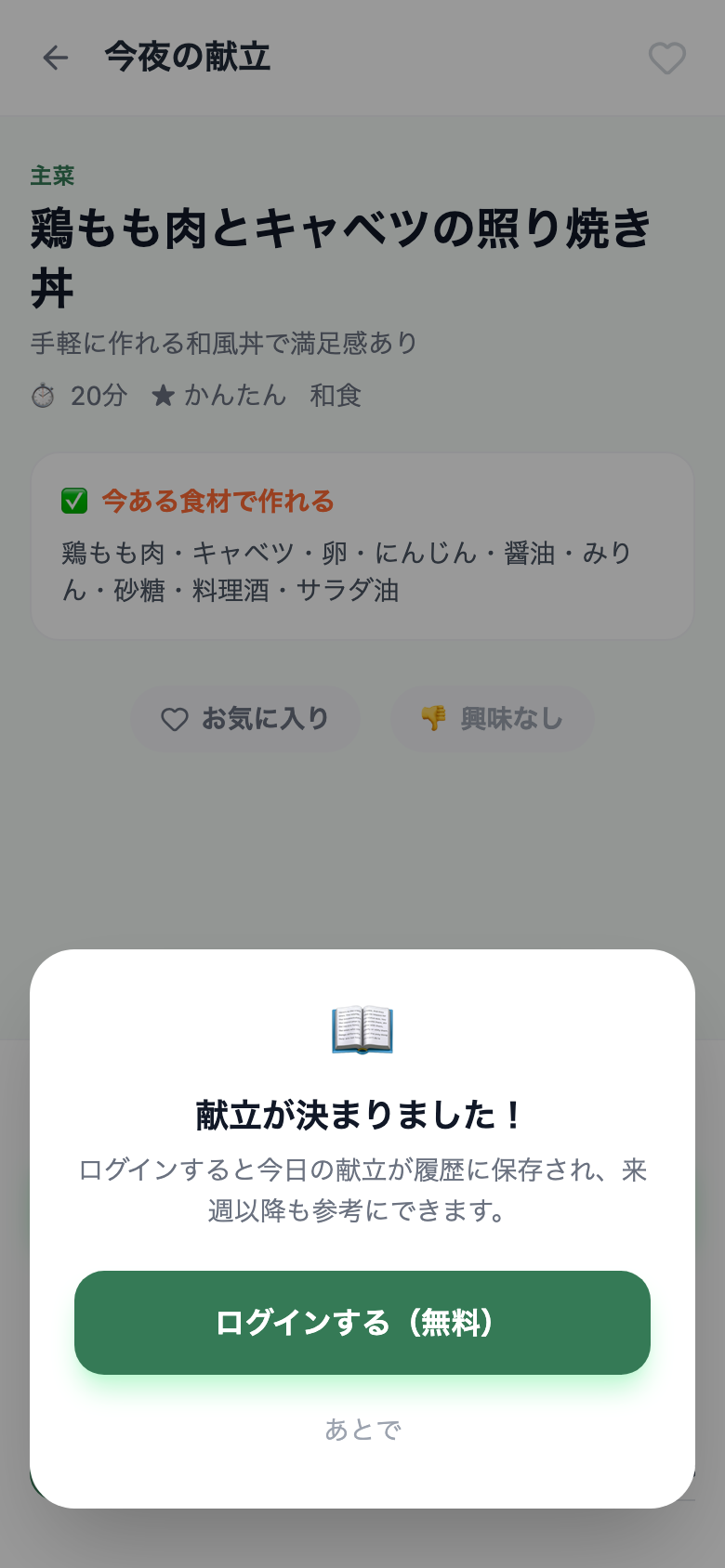
Shown once after you decide on a meal (dismissible)
Previously, login was only prompted when the free usage limit was reached. v0.8 changes the tone — it's framed as a positive outcome ("your meal is saved") rather than a hard gate.
Analysis timeout fix
In cases where the analysis took too long due to network conditions, the app would silently wait with no feedback. Now after 90 seconds, it times out and shows a "Try again" prompt.
Before
The app would wait indefinitely during analysis with no way to recover except closing and reopening.
After
Times out after 90 seconds and shows "Analysis is taking longer than expected. Please try again."
Try the latest version
Open Snapmeal (Beta · Free)