Priority Ingredients & Cuisine Style
After scanning your fridge, tap any ingredient to mark it as a priority. Also added a cuisine style selector — Japanese, Western, Chinese, Korean, Ethnic, or One-plate.
Tap to prioritize ingredients
After fridge recognition, an ingredient confirmation screen is shown. Tap any ingredient to highlight it as a priority — AI will make sure it's featured in the dish.
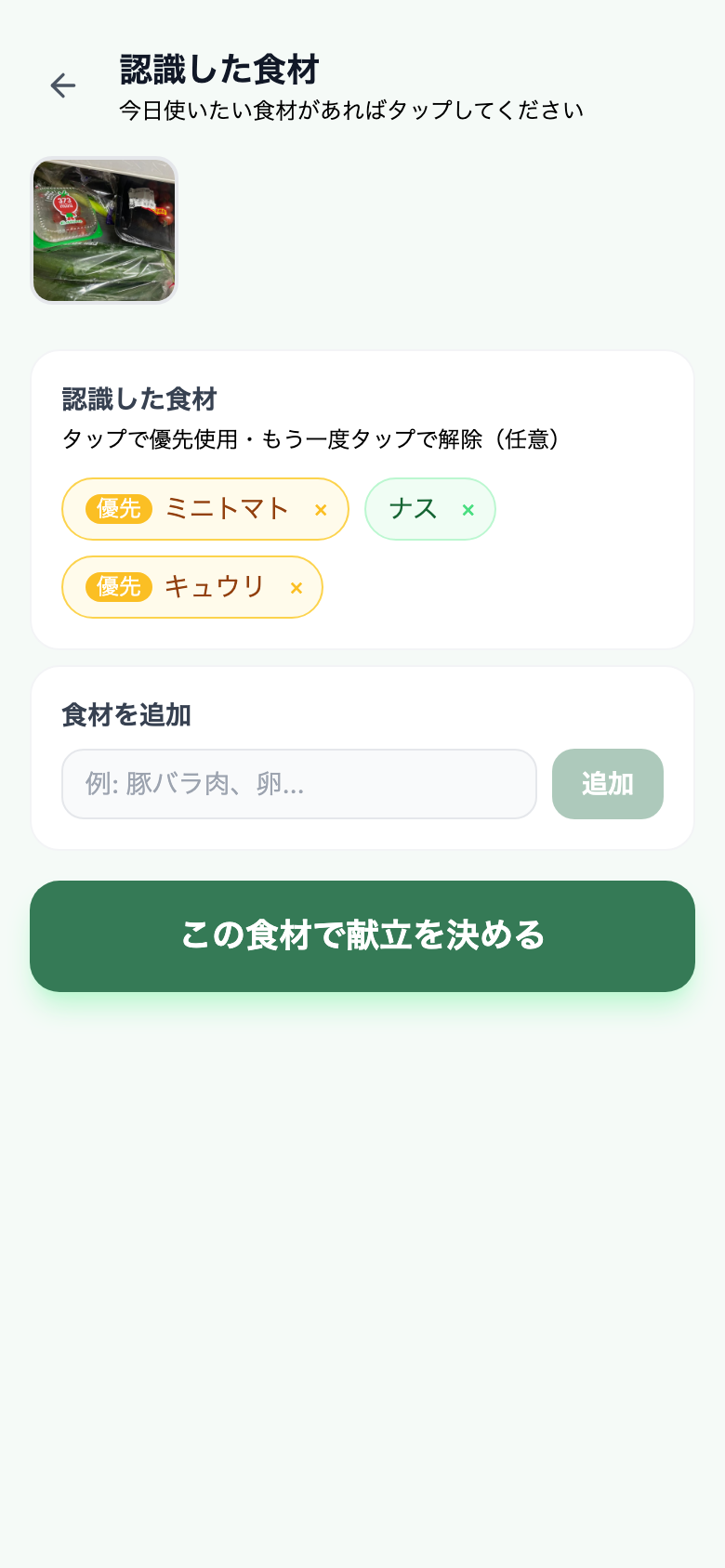
Selection is optional
Leave everything unselected and AI suggests from all ingredients as usual. Only mark the ones you specifically want to use today.
Remove misrecognized items
Tap the × button to remove any ingredient AI got wrong. Priority marking and removal are separate actions.
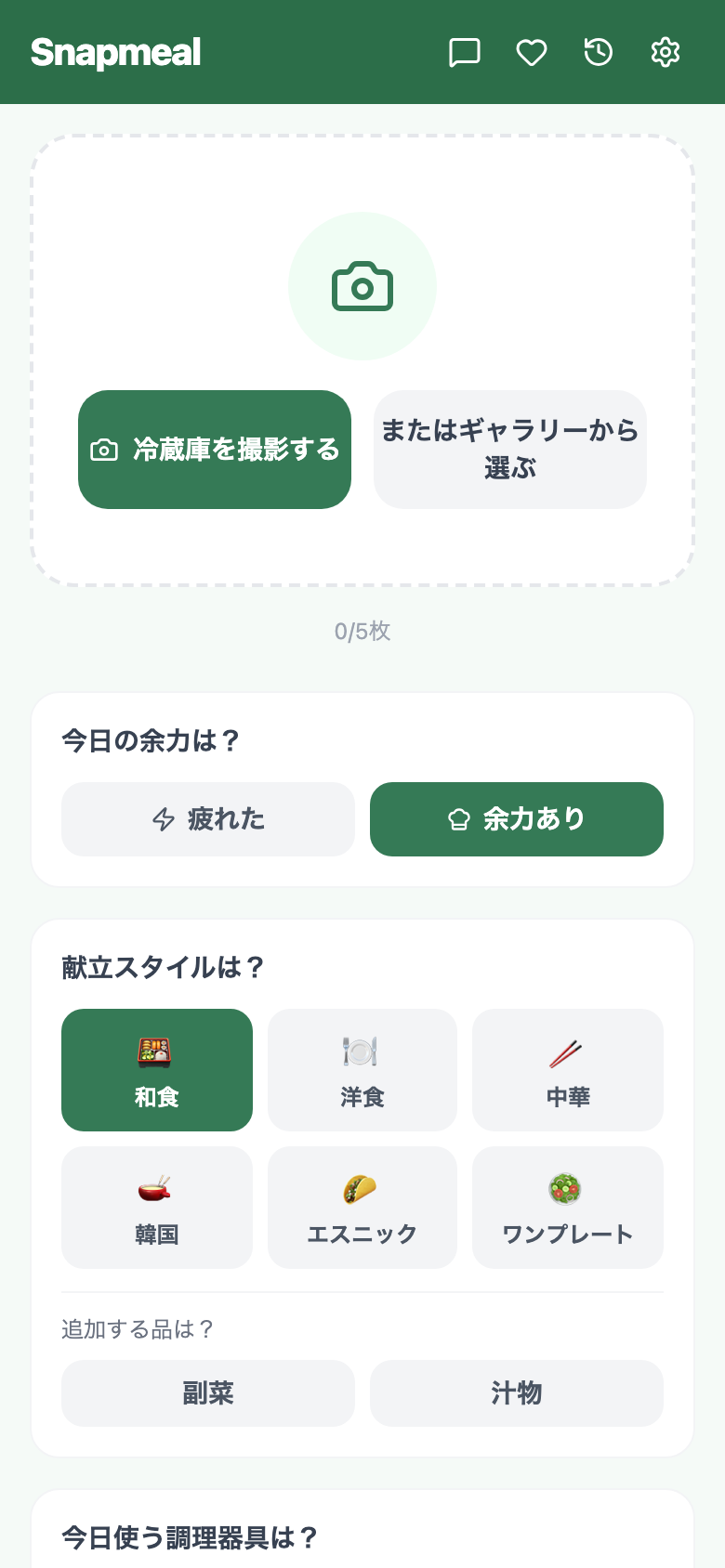
Cuisine style selector
Choose a cuisine style before generating your meal suggestion. The AI will stick to that style while still using your available ingredients.
Try the latest version
Open Snapmeal (Beta · Free)